Vue3 集成动画库 Vue Bits
Vue Bits使用 jsrepo 的脚手架安装组件,官方文档中每个组件都有安装步骤。
一、全局安装 jsrepo
npm install jsrepo -g二、初始化项目 jsrepo
npx jsrepo init https://vue-bits.dev/ui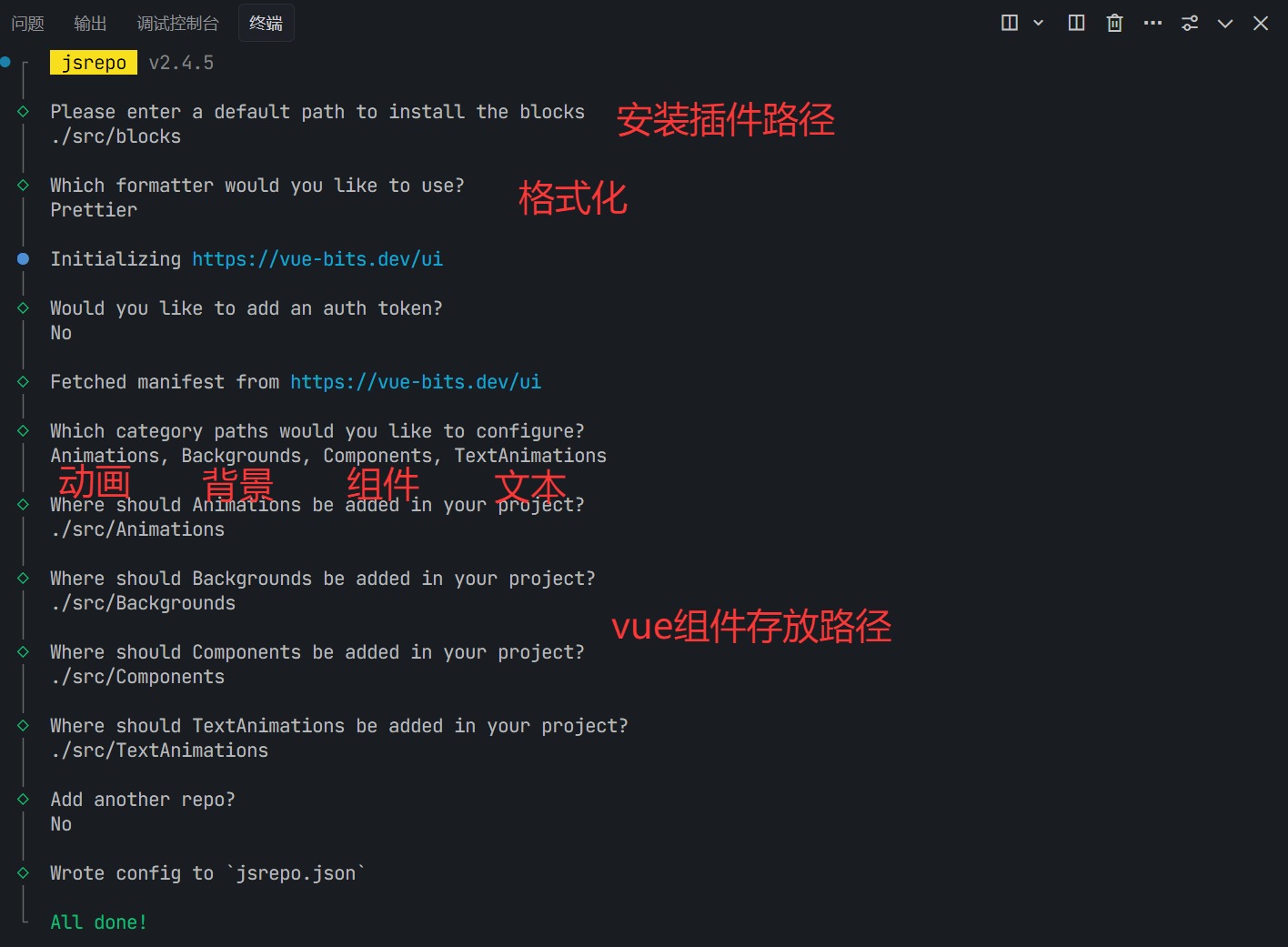
三、完成第二步的配置选项后会在根目录生成一个jsrepo.json文件
json
{
  "$schema": "https://unpkg.com/jsrepo@2.4.5/schemas/project-config.json",
  "repos": ["https://vue-bits.dev/ui"],
  "includeTests": false,
  "includeDocs": false,
  "watermark": true,
  "formatter": "prettier",
  "configFiles": {},
  "paths": {
    "*": "./src/blocks",
    "Animations": "./src/Animations",
    "Backgrounds": "./src/Backgrounds",
    "Components": "./src/Components",
    "TextAnimations": "./src/TextAnimations"
  }
}
四、使用安装需要的组件,以 SplitText 文本动画组件为例子
npx jsrepo add https://vue-bits.dev/ui/TextAnimations/SplitText执行命令后安装组件代码。在vue中使用(注意安装组件路径):
javascript
<template>
  <SplitText
    text="Hello, GSAP!"
    class-name="text-2xl font-semibold text-center"
    :delay="100"
    :duration="0.6"
    ease="power3.out"
    split-type="chars"
    :from="{ opacity: 0, y: 40 }"
    :to="{ opacity: 1, y: 0 }"
    :threshold="0.1"
    root-margin="-100px"
    text-align="center"
    @animation-complete="handleAnimationComplete"
  />
</template>

<script setup>
  import SplitText from "./SplitText.vue";

  const handleAnimationComplete = () => {
    console.log('All letters have animated!');
  };
</script>